

Introduction
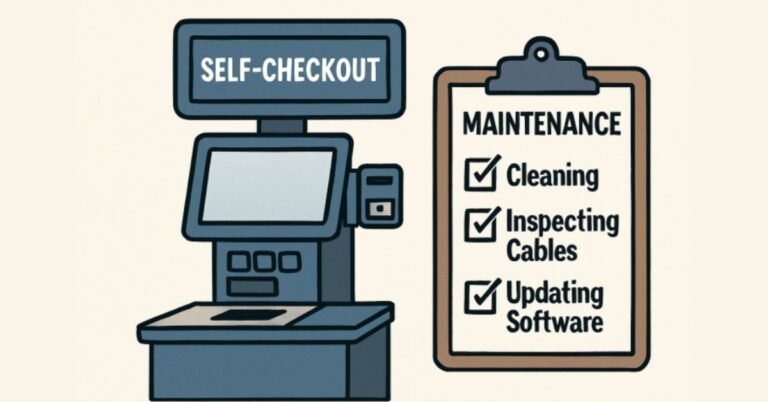
Self-checkout kiosks have rapidly become a cornerstone of modern retail, offering shoppers speed, convenience, and autonomy. As these systems play a vital role in customer satisfaction and operational efficiency, their ongoing care is of paramount importance. Businesses striving for seamless operation must invest in regular maintenance and proactive support strategies. To optimize the lifespan and performance of self-checkout kiosks in busy commercial environments, exploring best practices is essential. For businesses looking to implement effective solutions, robust resources like https://kiosk.com/market-solutions/retail-kiosks/checkout/ offer valuable insights on deploying retail checkout kiosks.
Maintaining self-checkout kiosks goes beyond simple cleaning; it requires a holistic approach that encompasses both preventative care and responsive support. From securing hardware to updating software, every step contributes to minimizing downtime and elevating the user experience. Retailers who prioritize these measures experience improved reliability, reduced costs, and increased customer loyalty—essential components in today’s competitive retail landscape.
Regular Cleaning and Inspection
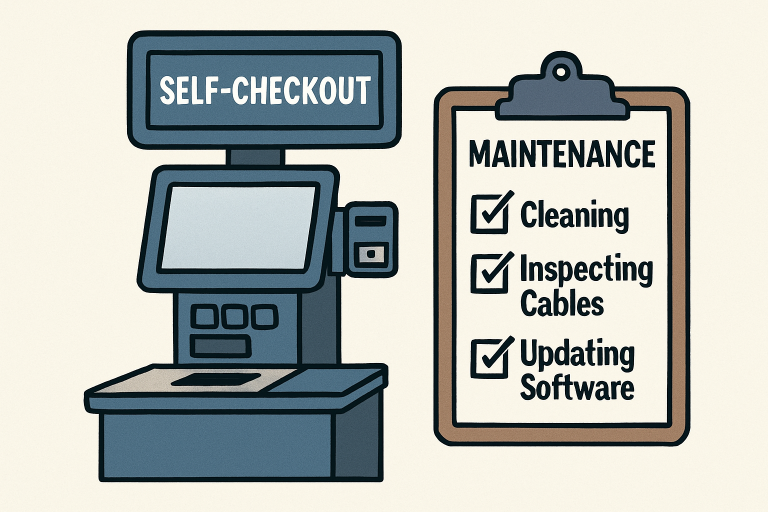
One of the most fundamental pillars of kiosk maintenance is routine cleaning and thorough inspection. Busy retail environments mean that surfaces such as touchscreens, scanners, and payment terminals are touched by hundreds of customers daily. Without diligent attention, dirt, oils, and residues can impede responsiveness and compromise hygiene. Daily cleaning using manufacturer-approved products helps prevent long-term damage and ensures a pleasant checkout experience for customers.
Beyond surface cleaning, regular inspection of internal components—such as printers, bill acceptors, coin dispensers, and card readers—helps prevent malfunctions at critical moments. Proactively checking for paper jams, worn rollers, or misaligned sensors ensures uninterrupted operations, especially during peak business hours. According to industry leaders, a combination of daily, weekly, and monthly care routines provides the optimal balance for extending hardware life and minimizing emergency repairs. Routine maintenance schedules are widely acknowledged by retail experts, including those at Forbes Tech Council.
Ensuring Secure and Functional Cabling
The operational integrity of self-checkout kiosks largely hinges on the quality and security of their power and data cabling. Over time, frequent use and accidental tampering can cause cables to loosen, fray, or disconnect. Such issues may result in random shutdowns, data synchronization problems, or even security vulnerabilities. As part of a monthly maintenance protocol, it is essential to inspect all visible and accessible cabling visually.
Technicians should inspect for signs of wear, tampering, or improper handling, particularly in high-traffic areas where movement and jostling are frequent. Proactively securing and shelving cables, and replacing any damaged lines swiftly, supports consistent uptime and smooth integration with other in-store technologies. Notably, well-managed cabling is crucial for seamless software updates and regular system backups, both of which are vital for preventing extended downtime and ensuring data integrity.
Adapting to Environmental Conditions
The location of each self-checkout kiosk influences its maintenance requirements. Indoor kiosks primarily encounter risks associated with dust accumulation, spills from nearby food or drinks, and general wear from heavy use. Regular interior and exterior cleaning helps mitigate these risks. In contrast, outdoor kiosks or those in semi-exposed environments must contend with temperature fluctuations, humidity, rainfall, and direct sunlight, all of which can affect screen clarity and internal electronics.
Protective measures, such as installing weatherproof enclosures, anti-glare film on displays, and adjusting ventilation or heating solutions for extreme weather conditions, are recommended for outdoor units. Periodic checks for water ingress, condensation, and environmental debris can help prevent system failures and costly repairs.
Implementing Robust Security Measures
Security remains a top concern for self-checkout solutions, as these systems handle sensitive customer information and process payment data. Best practices begin with strong encryption protocols for all data transmitted between the kiosk and back-end servers. Additionally, implementing robust access controls—such as password protection, two-factor authentication, and biometric restrictions—ensures that system settings are only accessible to authorized personnel.
Vigilant system monitoring, including real-time alerts for unauthorized access attempts or potential malware infections, is vital. Routinely updating installed security software, educating staff about social engineering tactics, and scheduling vulnerability scans safeguard against evolving threats. Enhanced security efforts help maintain customer trust and enable organizations to comply with data protection regulations, such as GDPR and PCI DSS.
Providing Comprehensive User Support
Kiosks are designed for user-friendliness, yet occasional confusion or technical issues can disrupt the customer experience. Trained staff should be readily available nearby to assist users, guide them through processes, and troubleshoot simple issues in real-time. Their presence reduces frustration, keeps lines moving, and ensures customers leave with a positive impression of the store’s technology.
Advanced remote support systems also play a critical role. By leveraging remote diagnostics and support tools, retailers minimize waiting time for on-site service visits. Problems can often be identified and addressed off-site, reducing operational disruptions and expenses. Providing accessible customer support through prominently displayed help buttons or QR codes for live chat can further enhance the overall experience.
Regular Software Updates and Monitoring
Staying up-to-date is not just a security best practice—it also ensures kiosks continue to run smoothly as technology evolves. Regular software updates address performance bugs, patch vulnerabilities, add new features, and improve system compatibility with emerging retail tools. Scheduling these updates during off-peak hours minimizes disruptions and ensures that the latest standards are always in place.
Continuous performance monitoring helps catch issues before they escalate. Analytics dashboards can track common errors, transaction volumes, and hardware health, empowering IT teams to act proactively. Automated monitoring reduces downtime, helps identify usage patterns, and supports data-driven improvements in both software and hardware deployment strategies.
Final Thoughts
Maintaining and supporting self-checkout kiosks demands a proactive, comprehensive strategy. With regular cleaning, careful inspection, well-maintained cabling, site-appropriate environmental protection, robust security practices, thorough user support, and up-to-date software, retailers can ensure reliable performance and excellent customer satisfaction. By embracing these best practices, businesses can protect their investment, maintain trust, and keep their operations running efficiently in the evolving retail landscape.
