

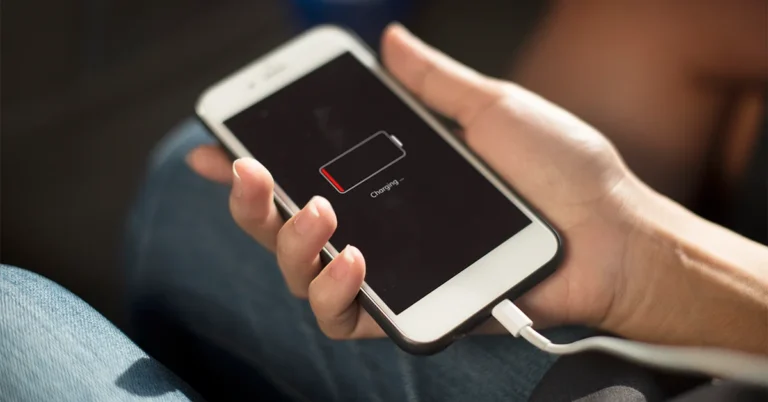
If you’ve noticed that your iPhone’s battery icon has turned yellow, you might be wondering: Is something wrong with my phone? Don’t panic! A yellow battery doesn’t necessarily mean your iPhone is broken. In fact, it’s usually a simple indicator from iOS letting you know about a specific setting. In this article, we’ll explain exactly what a yellow battery means on your iPhone, why it happens, and the steps you can take to fix it.
ALSO READ: Are Grasshoppers Good Luck? Discover Their Symbolic Significance
What Does A Yellow Battery Mean On iPhone?
When your iPhone’s battery icon turns yellow, it indicates that Low Power Mode is active. Apple introduced Low Power Mode to help extend battery life when your iPhone’s charge is running low. It’s a helpful feature that reduces background activity, disables certain visual effects, and limits automatic downloads to save energy.
You might notice the yellow battery icon if your battery is running low, or if you’ve turned Low Power Mode on manually. It’s not a sign of a hardware problem—it’s just your iPhone helping you get more usage out of your remaining battery.
Why Does iPhone Battery Turn Yellow?
The yellow battery icon appears mainly for these reasons:
Low Battery Level – Your iPhone automatically prompts you to turn on Low Power Mode when your battery drops below 20%.
Manual Activation – You can turn Low Power Mode on at any time from the Settings.
Battery Health Concerns – If your battery is aging or degraded, Low Power Mode may be recommended more frequently to maintain battery performance.
How Low Power Mode Works
Low Power Mode optimizes your iPhone’s performance in several ways:
- Reduces Background App Refresh – Apps won’t update in the background as often.
- Disables Automatic Downloads – New updates and app downloads are paused.
- Lowers Screen Brightness – The display uses less power.
- Reduces Visual Effects – Animations and motion effects are minimized.
- Pauses Mail Fetching – Emails may only update when you open the Mail app.
These changes may slightly affect performance but help keep your iPhone alive until you can charge it.
How To Turn Off The Yellow Battery
If you want your iPhone battery icon to return to its normal color, you need to turn off Low Power Mode. Here’s how:
Go to Settings – Open the Settings app on your iPhone.
Tap on Battery – Scroll down and find the Battery option.
Disable Low Power Mode – Toggle the Low Power Mode switch off.
Once you turn it off, your battery icon will turn back to green (or white depending on your theme).
How To Manually Enable Low Power Mode
Sometimes, you might want to manually activate Low Power Mode to save battery during the day. Here’s how to do it:
- Via Settings: Go to Settings > Battery > Low Power Mode and toggle it on.
- Via Control Center: Add the Low Power Mode button to Control Center for quick access. Swipe down from the top-right corner (iPhone X and newer) or swipe up (iPhone 8 and older), then tap the battery icon.
Manual activation is great when you know you’ll be away from a charger for a long time.
Does Yellow Battery Mean Your iPhone Battery Is Bad?
Not necessarily. A yellow battery doesn’t indicate a faulty battery—it just signals that Low Power Mode is active. However, it’s still important to check your battery health to ensure long-term performance.
Checking Battery Health:
Open Settings
Tap on Battery
Tap on Battery Health & Charging
Here, you’ll see Maximum Capacity and Peak Performance Capability. If your battery capacity is significantly low (below 80%), it might be time to replace the battery.
Tips To Prevent Frequent Low Power Mode Activation
If your iPhone frequently switches to Low Power Mode automatically, here are some ways to extend battery life:
Reduce Screen Brightness – Keep brightness at a comfortable but lower level.
Disable Background App Refresh – Go to Settings > General > Background App Refresh and turn off apps you don’t need updating.
Update iOS Regularly – Software updates often improve battery efficiency.
Limit Location Services – Use Settings > Privacy > Location Services to manage which apps access your location.
Use Wi-Fi Instead of Cellular – Wi-Fi consumes less battery than mobile data.
These habits can help reduce the frequency of Low Power Mode activation and keep your battery healthier longer.
When To Consider Battery Replacement
Even though a yellow battery mainly indicates Low Power Mode, it’s still worth monitoring your battery health. Here are signs you might need a battery replacement:
- Battery drains unusually fast
- iPhone shuts down unexpectedly
- Maximum Capacity is below 80%
- Performance feels slower even without Low Power Mode
Replacing the battery is straightforward at Apple Stores or authorized service providers. A new battery can restore performance and allow you to use your iPhone without constantly relying on Low Power Mode.
Conclusion
Seeing a yellow battery on your iPhone can be alarming at first, but it’s usually nothing to worry about. In most cases, it simply means Low Power Mode is on, either automatically or manually. This feature is designed to extend battery life and help you make the most of your remaining charge.
By understanding why it happens, how to manage Low Power Mode, and keeping an eye on battery health, you can ensure your iPhone stays reliable and efficient. Remember, a yellow battery is more of a helpful reminder than a warning—it’s your iPhone looking out for you!
FAQs
What is a yellow battery on iPhone?
A yellow battery indicates that Low Power Mode is active. It’s a feature that helps extend battery life by reducing background activity and limiting certain functions.
Will turning off Low Power Mode harm my battery?
No, turning off Low Power Mode will not damage your battery. It simply returns your iPhone to normal performance, but your battery may drain faster.
Can I charge my iPhone while in Low Power Mode?
Yes, charging your iPhone while Low Power Mode is active is perfectly safe. The phone will continue to charge normally.
Why does my iPhone keep going into Low Power Mode automatically?
Your iPhone automatically enables Low Power Mode when the battery drops below 20% to help extend usage time. Frequent activation could also indicate an aging battery.
How do I know if my battery needs replacing?
Check Settings > Battery > Battery Health & Charging. If Maximum Capacity is below 80% or performance issues occur, it may be time to replace the battery.
ALSO READ: Unpacking The Isaiah 60:22 Meaning For Modern Believers
